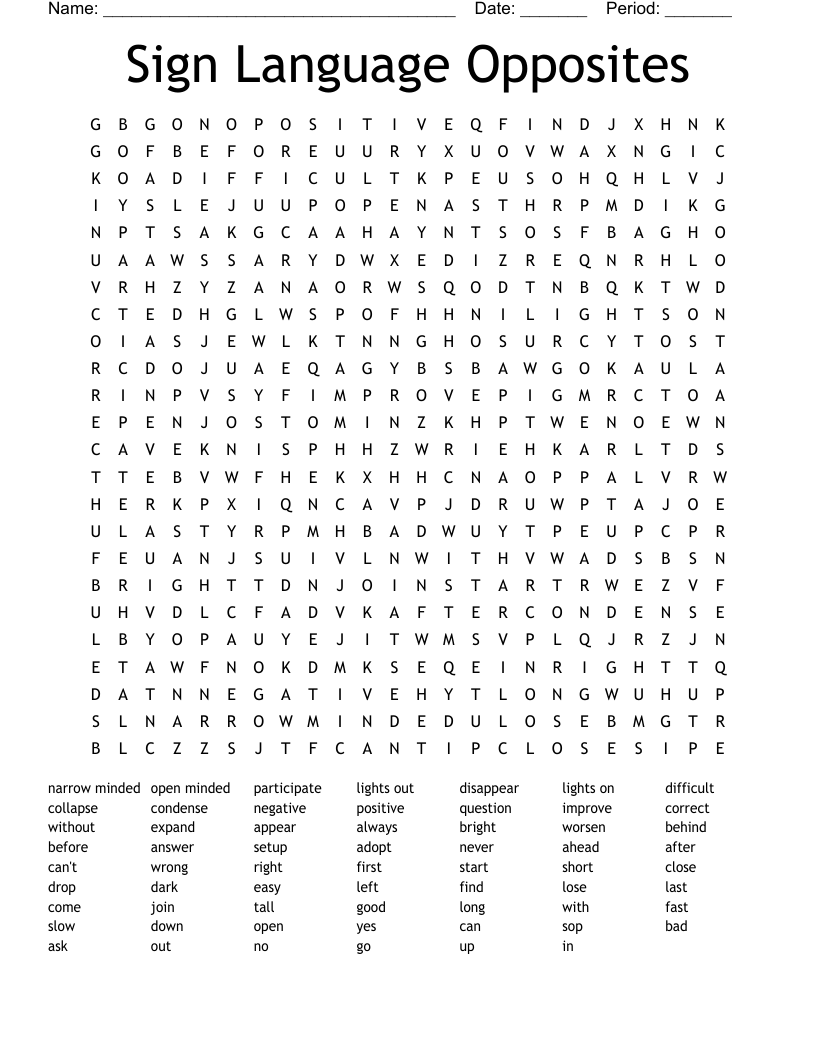
Sign Language Opposites Word Search

Description

narrow minded
open minded
participate
lights out
disappear
lights on
difficult
collapse
condense
negative
positive
question
improve
correct
without
expand
appear
always
bright
worsen
behind
before
answer
setup
adopt
never
ahead
after
can't
wrong
right
first
start
short
close
drop
dark
easy
left
find
lose
last
come
join
tall
good
long
with
fast
slow
down
open
yes
can
sop
bad
ask
out
no
go
up
in

Customize
Add, edit, delete clues, and customize this puzzle.

Frequently Asked Questions

What is a word search?

A word search is a puzzle where there are rows of letters placed in the shape of a square, and there are words written forwards, backwards, horizontal, vertical or diagonal. There will be a list of words for the player to look for and the goal of the player is to find those words hidden in the word search puzzle, and highlight them.

How do I choose the words to use in my word search?

Once you’ve picked a theme, choose words that have a variety of different lengths, difficulty levels and letters. You don’t need to worry about trying to fit the words together with each other because WordMint will do that for you!

How are word searches used in the classroom?

Word search games are an excellent tool for teachers, and an excellent resource for students. They help to encourage wider vocabulary, as well as testing cognitive abilities and pattern-finding skills.

Because the word search templates are completely custom, you can create suitable word searches for children in kindergarten, all the way up to college students.

Who is a word search suitable for?

One of the common word search faq’s is whether there is an age limit or what age kids can start doing word searches. The fantastic thing about word search exercises is, they are completely flexible for whatever age or reading level you need.

Word searches can use any word you like, big or small, so there are literally countless combinations that you can create for templates. It is easy to customise the template to the age or learning level of your students.

How do I create a word search template?

For the easiest word search templates, WordMint is the way to go!

Pre-made templates

For a quick an easy pre-made template, simply search through WordMint’s existing 500,000+ templates. With so many to choose from, you’re bound to find the right one for you!

Create your own from scratch

  • Log in to your account (it’s free to join!)
  • Head to ‘My Puzzles’
  • Click ‘Create New Puzzle’ and select ‘Word Search’
  • Select your layout, enter your title and your chosen words
  • That’s it! The template builder will create your word search template for you and you can save it to your account, export as a Word document or PDF and print!

How can I print my word search template?

All of our templates can be exported into Microsoft Word to easily print, or you can save your work as a PDF to print for the entire class. Your puzzles get saved into your account for easy access and printing in the future, so you don’t need to worry about saving them at work or at home!

Can I create a word search in other languages?

Word searches are a fantastic resource for students learning a foreign language as it tests their reading comprehension skills in a fun, engaging way.

We have full support for word search templates in Spanish, French and Japanese with diacritics including over 100,000 images.