Chapter 1 - Microsoft Office Basics Worksheet
This printable matching worksheet on the topic of Computer Science & Technology has 25 questions and answers to match. This matching worksheet is also available to download as a Microsoft Word document or a PDF.
Description
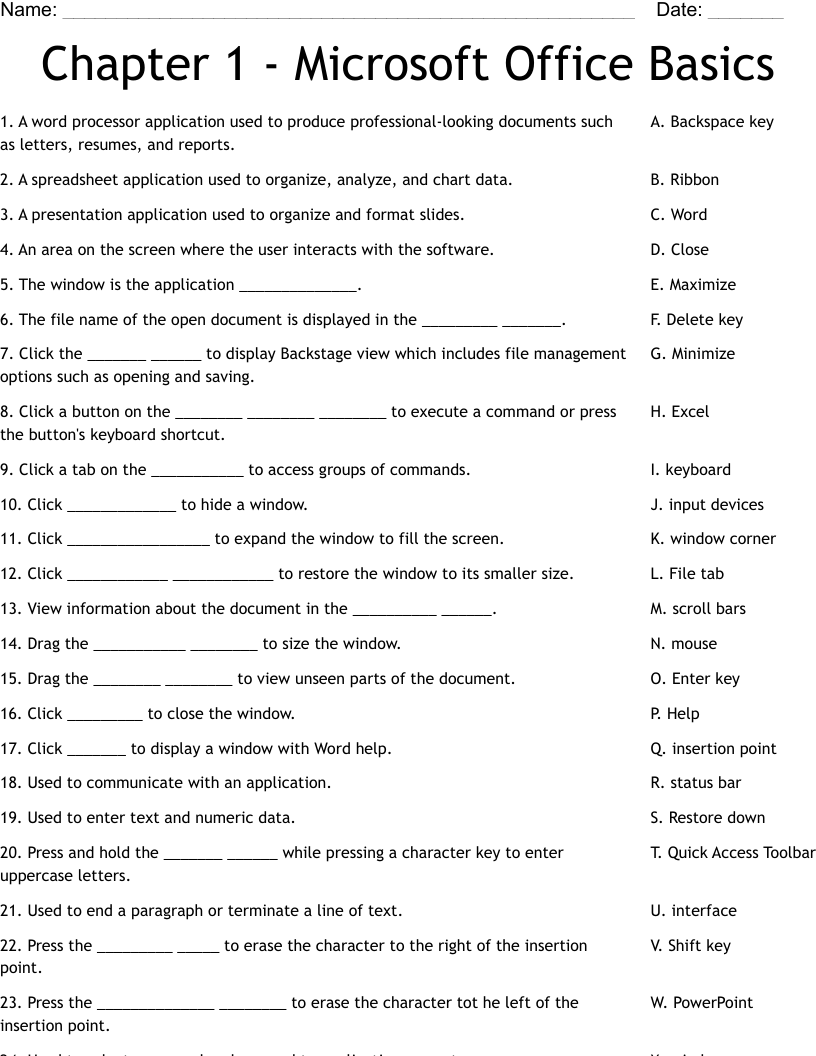
A word processor application used to produce professional-looking documents such as letters, resumes, and reports.
A spreadsheet application used to organize, analyze, and chart data.
A presentation application used to organize and format slides.
An area on the screen where the user interacts with the software.
The window is the application ______________.
The file name of the open document is displayed in the _________ _______.
Click the _______ ______ to display Backstage view which includes file management options such as opening and saving.
Click a button on the ________ ________ ________ to execute a command or press the button's keyboard shortcut.
Click a tab on the ___________ to access groups of commands.
Click _____________ to hide a window.
Click _________________ to expand the window to fill the screen.
Click ____________ ____________ to restore the window to its smaller size.
View information about the document in the __________ ______.
Drag the ___________ ________ to size the window.
Drag the ________ ________ to view unseen parts of the document.
Click _________ to close the window.
Click _______ to display a window with Word help.
Used to communicate with an application.
Used to enter text and numeric data.
Press and hold the _______ ______ while pressing a character key to enter uppercase letters.
Used to end a paragraph or terminate a line of text.
Press the _________ _____ to erase the character to the right of the insertion point.
Press the ______________ ________ to erase the character tot he left of the insertion point.
Used to select command and respond to application prompts.
The blinking vertical line that indicates where the next character will be typed.